Quick Verdict: a fantastic pick for casual creators and students who want modern processing power on a budget; skip it if you need heavy-duty video rendering or multiple external displays.
Key Features and Hardware Specs
The star of the show here is the custom silicon tucked inside the aluminum chassis. Apple opted for the A18 Pro chip to power this machine, bringing phone-grade silicon efficiency straight to the Mac ecosystem. It's paired with 8GB of unified memory, which keeps everyday multitasking snappy when you're juggling a dozen browser tabs and a Spotify stream.
View Deal on Amazon →
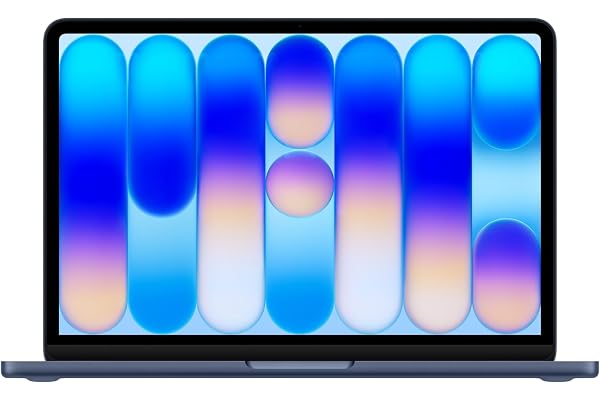
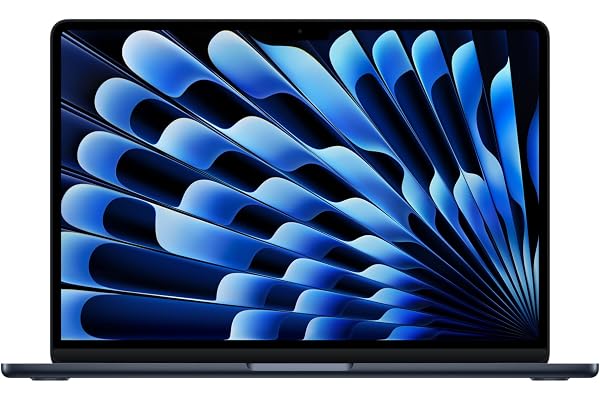
You also get a gorgeous 13-inch display that makes scrolling through photos or watching your favorite shows an absolute treat. The Liquid Retina panel pushes crisp text and vibrant colors, though the peak brightness maxes out at a level that works best indoors or in shaded outdoor spots. Battery life easily stretches through a full workday of writing and web browsing, clocking in right around 12 hours on a single charge.
Portability is where this laptop genuinely shines during everyday errands. Tossing it into a backpack feels like carrying a thick notepad rather than a heavy piece of tech, and the fanless design means it stays totally silent even when you're pushing the processor. Typing out long emails on the Magic Keyboard feels familiar and comfortable, with just enough travel in the keys to keep your fingers happy.
That said, how does it handle heavier workloads? If you're editing casual 4K video clips or sorting through RAW photo libraries, the A18 Pro handles the load surprisingly well thanks to optimized hardware acceleration. But don't expect it to replace a maxed-out desktop workstation; render times for massive 3D projects will test your patience compared to Pro-tier machines.
The Pros and Cons Breakdown
Every gadget has its compromises, and this one is no exception. Let's look at what works well and where the machine falls a bit short.
- Incredible battery life that easily lasts through a long flight or a coffee shop work session.
- Silently cool operation because there are no moving parts or fans to spin up.
- Stunning display with rich colors and sharp text rendering.
- 8GB of RAM can feel a bit restrictive if you tend to keep heavy apps open simultaneously.
- Port selection is sparse, leaving you to rely heavily on dongles for older accessories.
Weighing these points helps clarify who will actually love using this laptop every day. If you live in a web browser and rely mostly on cloud apps, the minor limitations won't bother you at all. On the flip side, power users who demand expansive port options right out of the box might find themselves reaching for adapters constantly.
Who This Laptop Is For and Who Should Skip It
Students heading off to class or writers working from corner cafes will find a lot to love here. The form factor is tailor-made for people who prioritize mobility above all else and don't want to carry a charger block everywhere they go. It's also a smart entry point for anyone curious about modern on-device AI features without spending a grand and a half.
On the other hand, heavy gamers, software developers compiling massive codebases, and audio engineers tracking multitrack sessions should definitely look elsewhere. The unified memory architecture and thermal envelope simply aren't built for sustained, heavy-duty number crunching. Save your cash for a machine with more headroom if your workflow pushes hardware to the absolute limit.
Value for Money and Price Positioning
Pricing is usually where entry-level Apple computers get tricky, but this model hits a remarkably sweet spot. You get a premium build quality that feels leagues ahead of plastic Windows laptops in the same price tier, complete with a trackpad that remains the industry gold standard. It punches well above its weight class for daily productivity tasks.
Of course, buying into this ecosystem means accepting that upgrades aren't an option later on. What you purchase on day one is what you're stuck with for the life of the machine. Even so, for the typical user who just needs a reliable daily driver that looks great and runs smoothly, the price tag feels entirely justified.
Frequently Asked Questions
Does it support advanced AI features?
Yes, the hardware is fully equipped to handle modern machine learning tools and on-device smart features seamlessly.
Can I connect multiple external monitors?
The machine officially supports a single external display, which is a limitation worth noting if you run a multi-monitor desk setup.
Is the memory upgradeable after purchase?
No, the unified memory is integrated directly onto the silicon package, so you cannot open it up to add more later.
Final Verdict
At the end of the day, the MacBook Neo proves you don't need to break the bank to get a fast, beautiful, and ultra-portable laptop. It's a focused machine that knows its audience and delivers on its core promises without unnecessary fluff. Ready to upgrade your portable setup? Check out the current deals online and see if it's the right fit for your daily routine.